Article
How to Automate Lead Reporting for Agency Clients (2026)

Most lead generation and performance agencies spend “8 to 12 hours per month manually pulling call logs from CallRail, form submissions from their CMS, Google Ads conversions, and Local Services Ads results.” They copy numbers into spreadsheets, try to match them up, and send clients a report that’s already two weeks stale. This is the reality of trying to automate lead reporting without a system designed for it.
Your clients don’t care how hard it is. They care about one thing: which marketing channels are actually bringing them leads, and which ones are wasting their budget. When you can’t answer that question with confidence, they start questioning whether they need you at all.
The good news is that automating lead reporting across multiple channels is entirely possible. It just requires understanding three things: lead attribution, channel consolidation, and automated delivery. Miss any one of these, and you’re back to manual reconciliation.
What is Lead Attribution (And Why It Matters for Your Clients)
Lead attribution is the process of crediting a marketing channel for a lead. A prospect calls a number you gave them in a Google Ads campaign. That call gets attributed to Google Ads. A different prospect fills out a form they found through a Local Services Ad listing. That form gets attributed to LSA. Simple enough in theory. In practice, attribution becomes messy fast.
The messiness comes from two sources: duplicate leads and incomplete tracking data.
A prospect might call, hang up, then fill out a form the next day. Is that one lead or two? If you count it twice, your client sees inflated lead volume and can’t make real budget decisions. If you count it once, which channel gets the credit? That matters when your client is trying to decide whether Google Ads or LSA is working harder.
Incomplete tracking happens when a prospect finds you through organic search, lands on a page with a form, and submits without any UTM parameters attached. Or when a CallRail number isn’t properly mapped to the right call source. Or when a form submission lacks the hidden field that would tell you where the visitor came from. Each of these creates blind spots in your reporting.
Lead attribution solves this by creating a single source of truth. Every lead gets a channel. Duplicates get identified and merged. Your client sees clean numbers. You spend less time explaining why the numbers don’t match what they remember.
Building the Multi-Channel Lead Data Pipeline
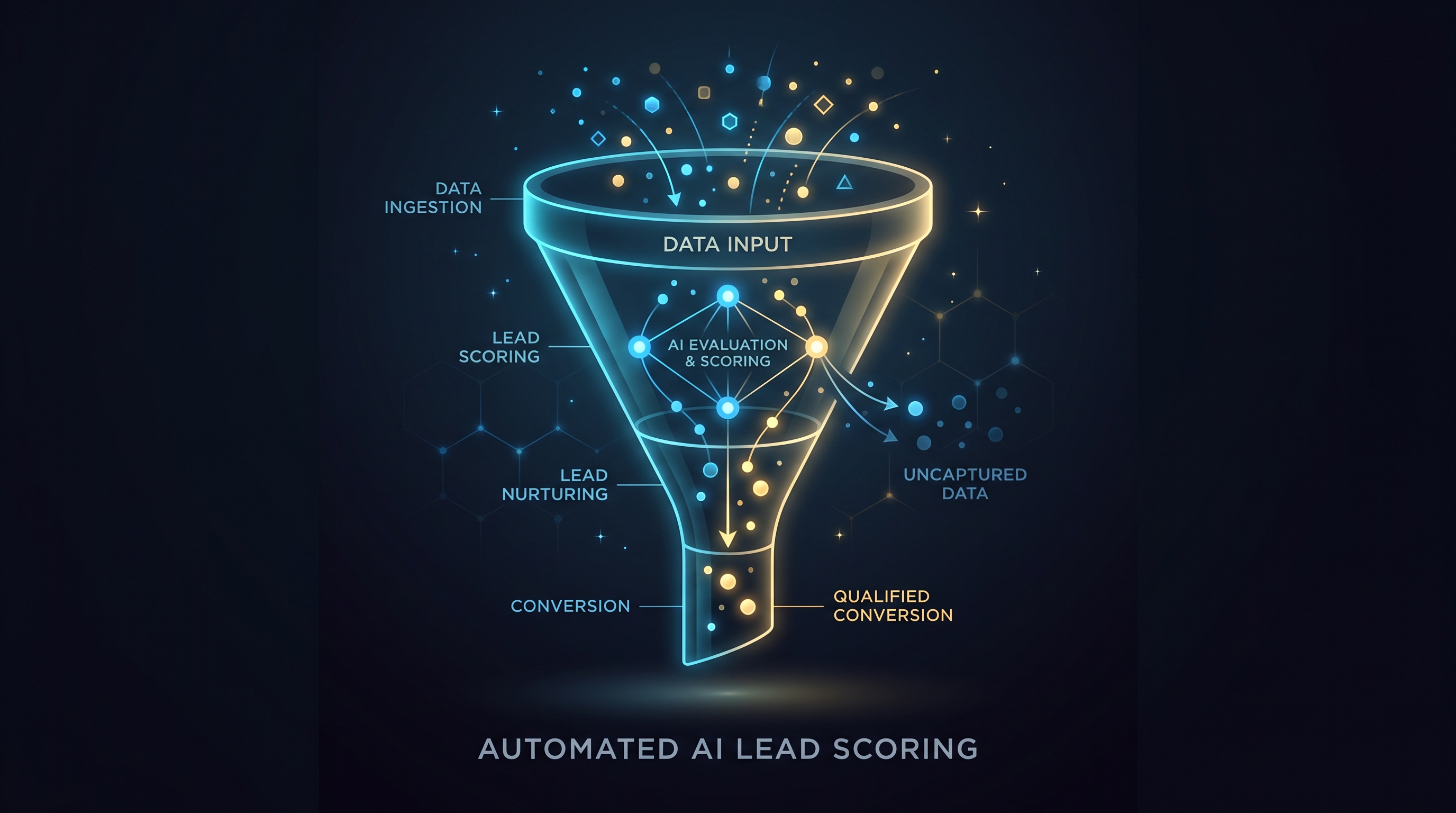
Automating lead reporting requires connecting four data sources: phone calls, web forms, Google Ads conversions, and Local Services Ads. Each has its own quirks.
CallRail is your phone system. It logs every inbound call with timestamps, caller ID, and the forwarding number used. If you’ve set up dynamic number insertion properly, CallRail also knows which traffic source drove the call. A caller who arrived through a Google Ads click sees a different number than a caller who found you organically. That’s the tracking lever.
Web forms live in different places depending on your client’s tech stack. Gravity Forms, HubSpot, Leadpages, Jotform. Each has its own data structure. But they all capture the same core things: timestamp, contact info, and (if you set it up right) the referrer or UTM parameters that show where the visitor came from.
Google Ads conversion tracking is typically connected to a CRM or Google Analytics 4. When a user clicks an ad and then completes a conversion action (form submission, phone call through call extensions, or a tracked event), Google records it with timestamps and campaign details.
Local Services Ads are different. They’re Google-managed, and leads come either as phone calls or form submissions directly through Google’s platform. CallRail can integrate with LSA to pull call data. Forms need to be routed to your client separately, usually through Google’s integration with their CRM or a webhook.
Without a unified layer that connects these sources, you’re managing four separate reporting streams. Your client gets a Google Ads report, a CallRail report, an LSA report, and a form report. None of them talk to each other. Automating lead reporting means building that unified layer.
The UTM Hygiene Problem
UTM parameters are how you label traffic so you can track it. A link to your client’s website might look like: https://example.com?utm_source=google&utm_medium=cpc&utm_campaign=ac-repair-spring-2024.
The problem is that UTM strings are only as good as the person who sets them up. Most agencies either don’t use them consistently or don’t use them at all. Leads arrive with no source information attached. Calls come in but don’t map to a specific ad campaign. Forms are submitted without any way to know if the visitor came from paid search or organic traffic.
Fixing this requires three things. First, enforce a UTM naming convention and stick to it. source should be the channel: google, lsa, organic, direct. medium should be the format: cpc, display, phone, organic. campaign should be the specific campaign or offer. Write this down. Don’t guess.
Second, set up dynamic parameters in your ad platforms so that Google and LSA automatically append parameters instead of relying on manual setup. Both Google Ads and LSA support this.
Third, add hidden form fields that capture the referrer URL. This creates a fallback when UTM parameters aren’t available. A form tool like Gravity Forms or HubSpot can be configured to auto-populate a hidden field with the page referrer. When someone submits the form without clear UTM data, you still have the referrer to trace them back.
Without UTM hygiene, your reports will always have a blind spot. Automating lead reporting becomes impossible if 20 percent of your leads have no source information.
Deduplication: Merging the Same Lead Across Channels
A single prospect might generate two or three data points before becoming a qualified lead.
Day 1: They see a Google Ads ad and click it. They land on the client’s website and see a phone number. They call it. CallRail logs the call and tags it with the Google Ads campaign. Google Ads also logs a phone call conversion.
Day 2: The same prospect finds the client’s website organically, fills out a contact form, and requests a callback.
Your system now thinks you have two leads. You have one prospect who engaged twice.
Deduplication merges these. The merge logic usually works like this: if two leads share the same phone number or email address, and they arrived within a 24 to 72 hour window, they’re the same person. The system attributes them to the channel that captured them first (the Google Ads call on Day 1). The form submission on Day 2 is marked as a duplicate.
Most agencies skip deduplication because they assume their data is clean. It’s not. Spreadsheet-based reporting might actually encourage duplicates because there’s no logic to catch them.
Automating lead reporting requires deduplication logic built into the pipeline. Some tools like Matz Analytics OS handle this automatically once data is connected. Others require custom configuration.
Setting Up Automated Lead Reporting
Once your data sources are connected and deduplicated, the report itself becomes straightforward.
Your automated report should show leads by channel, with sub-breakdowns by campaign. For a lead gen agency working with multiple clients, you’ll want one report per client. The report should include: total leads by channel, leads by campaign, cost per lead (pulled from Google Ads spend data), and lead quality metrics if your client tracks them (calls to qualified leads, forms that converted to sales, etc.).
Most agencies build this in Looker Studio, Databox, or their CRM. The data flows in automatically from the connected sources. When a new call is logged in CallRail or a form is submitted, the report updates within hours. Your client sees real-time data. You don’t touch it.
The report frequency matters. A lead gen business should see daily or weekly updates, not monthly snapshots. A monthly report in a lead gen context is historical. Your client needs to know yesterday whether they should increase ad spend on the channel that drove the most leads this week.
When to Consider a Done-For-You Approach
Setting up lead reporting automation is doable in-house, but it requires technical competency. You need someone who can write SQL, configure webhooks, manage API connections, and troubleshoot when a data feed breaks.
Many smaller agencies don’t have that person. They either hire a contractor (expensive and ongoing) or delegate it to someone on the marketing team who’s already overloaded. Neither scales well.
We built Matz Analytics OS to solve this. It’s a platform that connects your data sources, deduplicates leads, and surfaces unified reporting without requiring SQL or engineering work. Your client gets a branded portal. You get your 8 to 12 hours back per month. Your team handles strategy instead of data wrangling. Matz Analytics also integrates with Looker Studio, Tableau, and any other tool you’re already using, so you’re not locked into a single interface.
If you’re currently spending more than 4 hours per month on lead reporting per client, the math usually works. If you’re doing it manually across 5 or more clients, it’s definitely worth exploring.
Ready to cut the hours your team spends on marketing reports and stop chasing lead attribution across channels? Book a free demo with Matz Analytics.